Unofficial guide
PhotoCraft: a free, open-source image editor built like Photoshop
PhotoCraft is an open-source, clean-room reimplementation of Photoshop, written in pure Rust by the ArtCraft team. This wiki collects where to download it, how to install it, its keyboard shortcuts, how it really compares with Photoshop, and the official GitHub and community links.
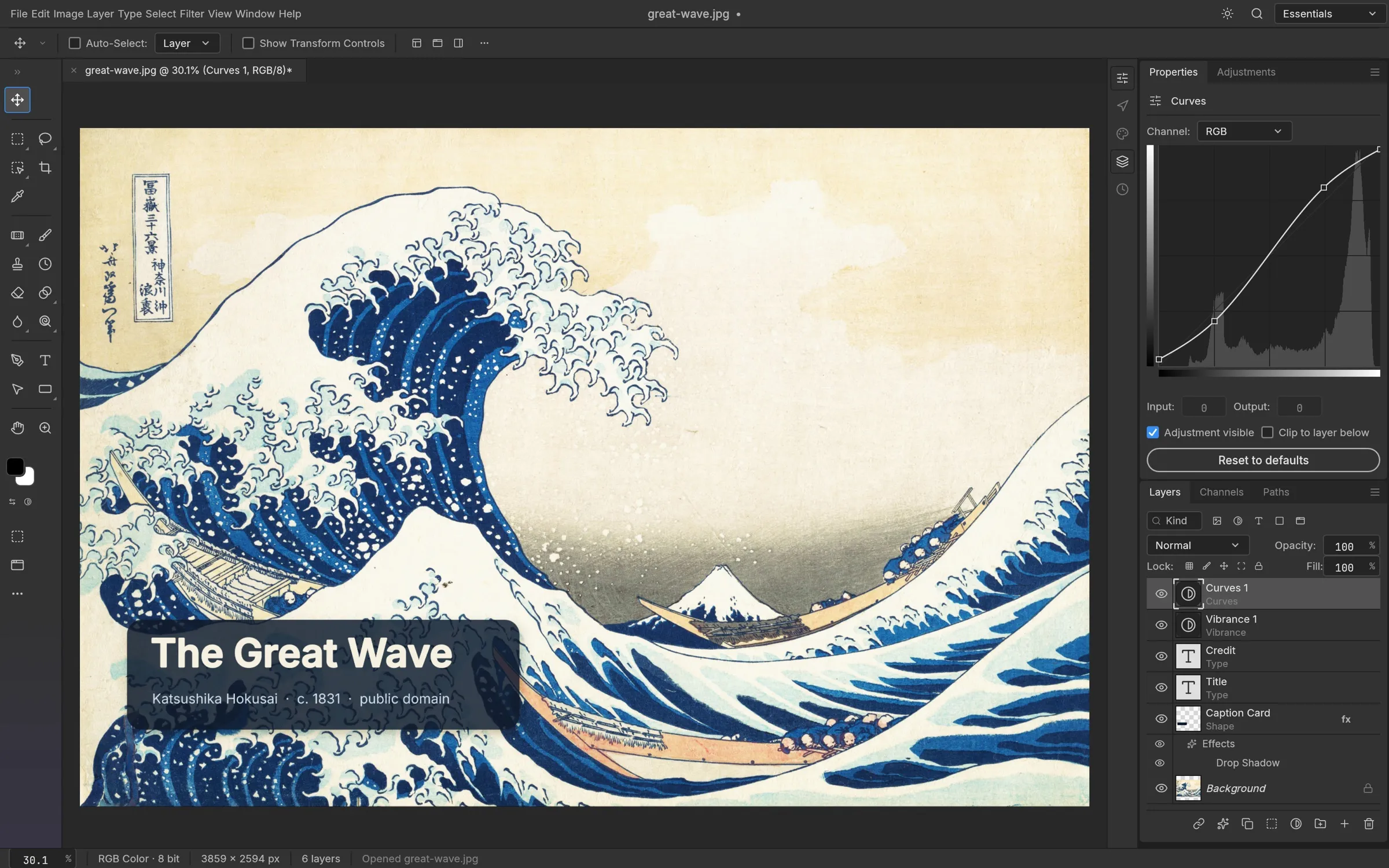
PhotoCraft at a glance
- What it is
- An open-source, clean-room reimplementation of Adobe Photoshop, written in Rust README
- Made by
- The ArtCraft team, as one of its “Crafting Apps” README
- License
- MIT or Apache-2.0, at your option README
- Runs on
- Windows, macOS, Linux, FreeBSD, and the web (WebAssembly) README
- Files
- Layered PSD and PSB, plus many other image formats README
- Status
- Early alpha. The README says it is not yet a replacement for daily professional work README
- Latest release when this site was checked
- v0.6.0, published 2026-10-10. The project ships often, so openthe latest release for the current version. Releases
An honest read on where it stands
Worth trying if you
- want a free, open-source editor and can live with alpha bugs
- open, tweak and save PSD files for light work
- like Rust, open source, or automating edits through a CLI or MCP
Wait if you rely on
- Photoshop plug-ins or scripts
- generative AI such as Generative Fill
- deep typography or print-ready client work
Start here
Download PhotoCraft
The official download routes, every build and file name, and how to check what you downloaded.
Install on Windows
Pick x64, arm64 or x86, choose MSI or portable, verify the checksum and open your first PSD.
Keyboard shortcuts
Tool keys and default shortcuts for Windows, Linux and macOS, taken from the source code.
PhotoCraft vs Photoshop
A comparison where every cell cites the project’s docs or Adobe’s own pages.
GitHub & community
The repository, docs, Discord, the ArtCraft team and the other Craft apps.
What PhotoCraft can do
Official screenshots of the app at work on public-domain art. Feature descriptions follow the project README.READMEImage sources
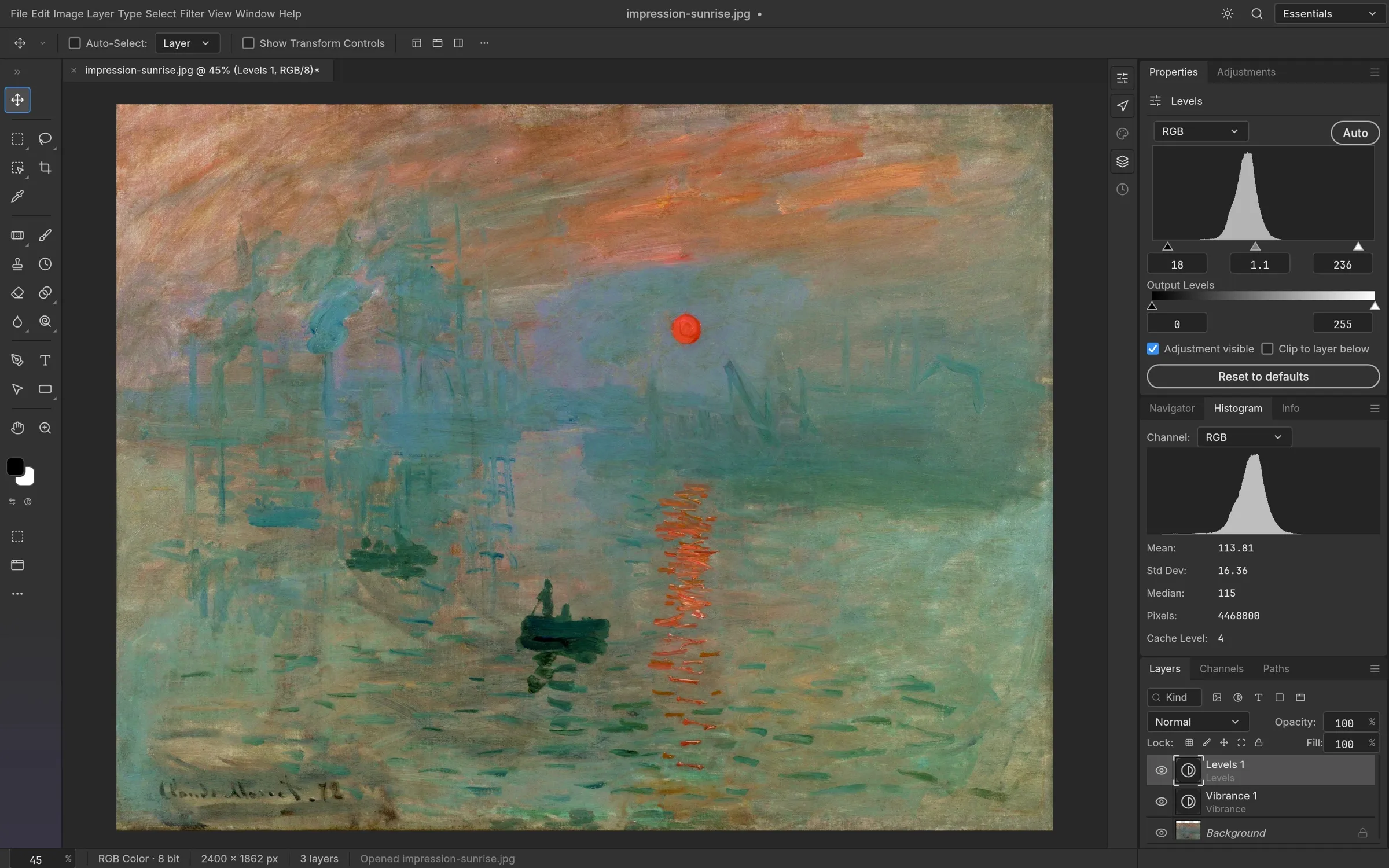
Adjustment layers that stay editable
Levels, Curves, Vibrance, Hue/Saturation and more live on their own layers, so the original pixels never change. The README counts 16 adjustment layers, with a live histogram for Levels and per-channel editing in Curves.
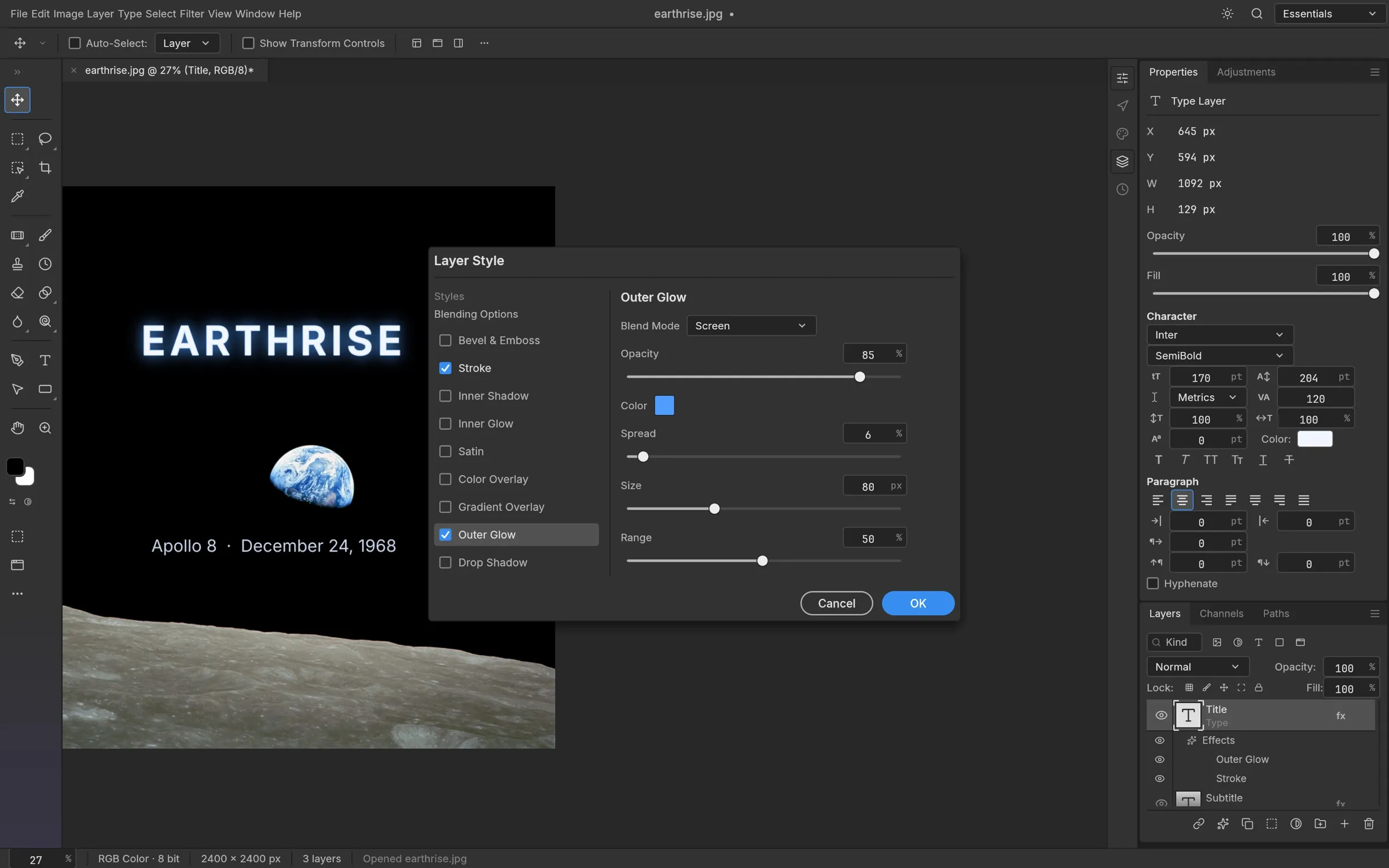
Layer styles, including on type
Drop Shadow, Inner Shadow, Outer and Inner Glow, Bevel & Emboss, Satin, Stroke and the Color, Gradient and Pattern overlays work on any layer, text included.
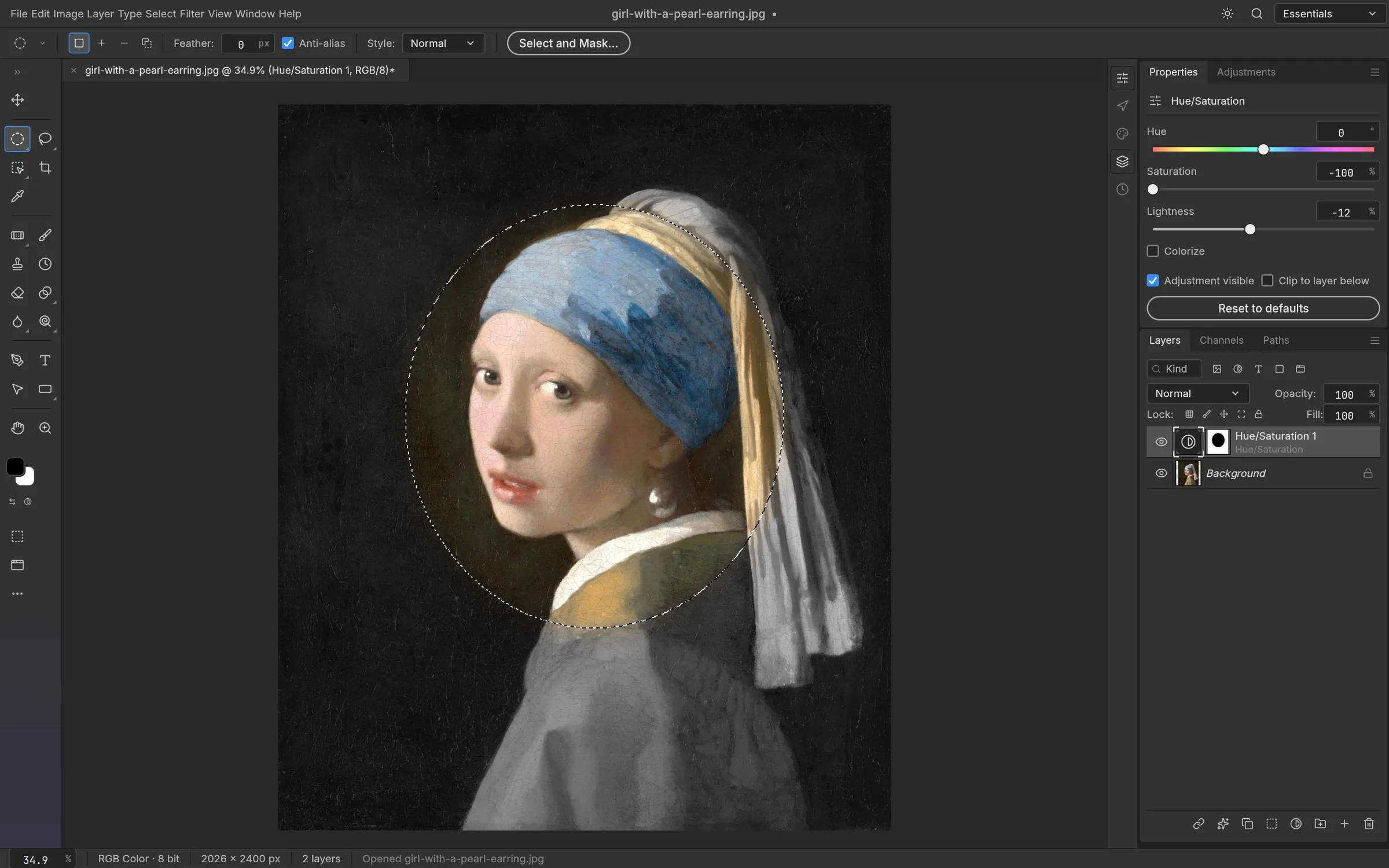
Selections that become masks
Marquees, lassos and the Magic Wand, plus Quick Selection, Object Selection and Select Subject. Any selection can become a layer mask, a vector path or a shape, and the smart selection runs on your machine with no cloud and no account.
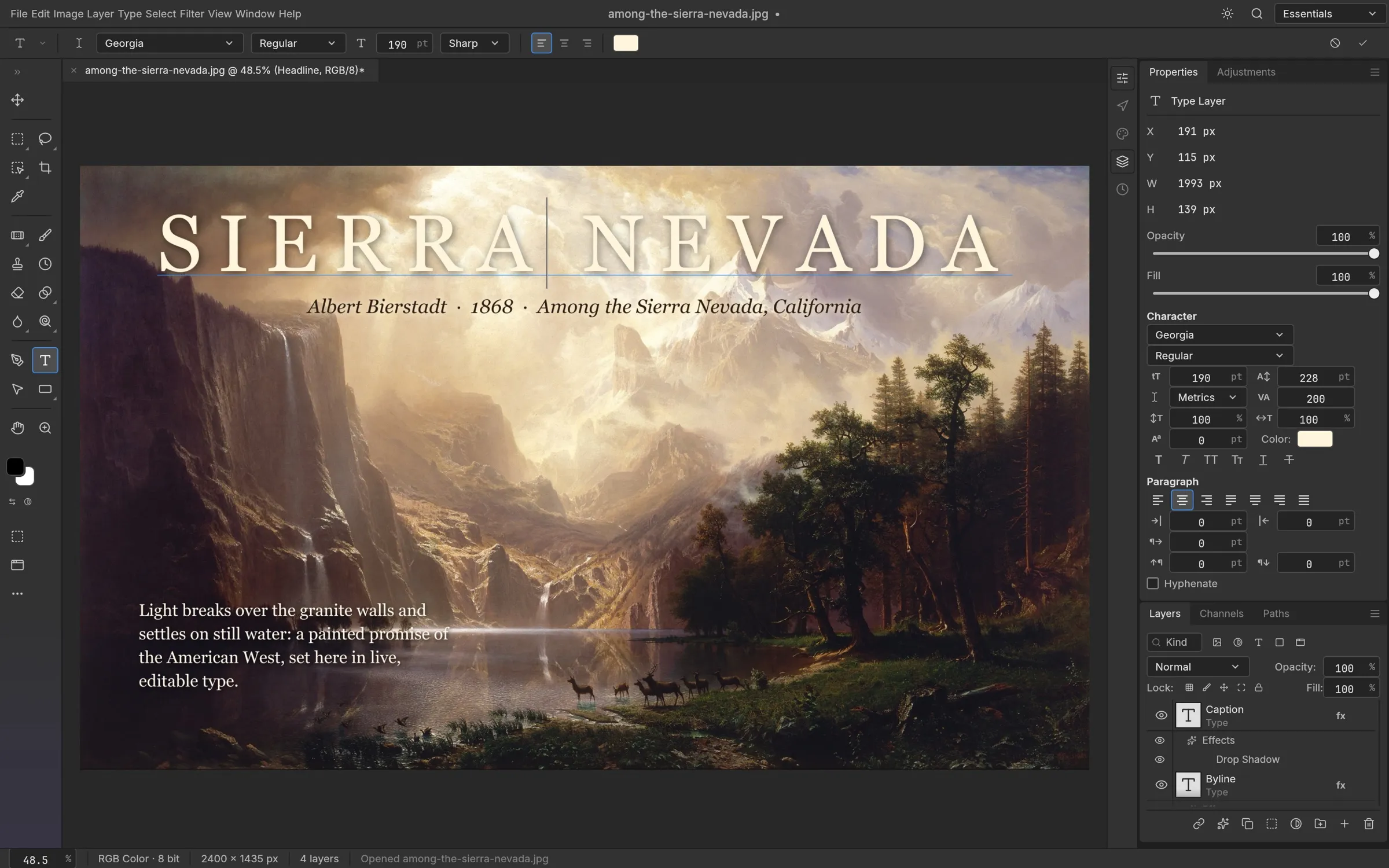
Live type
Point and paragraph text is edited right on the canvas with Character and Paragraph controls. Type layers stay editable, take layer styles and round-trip through PSD.
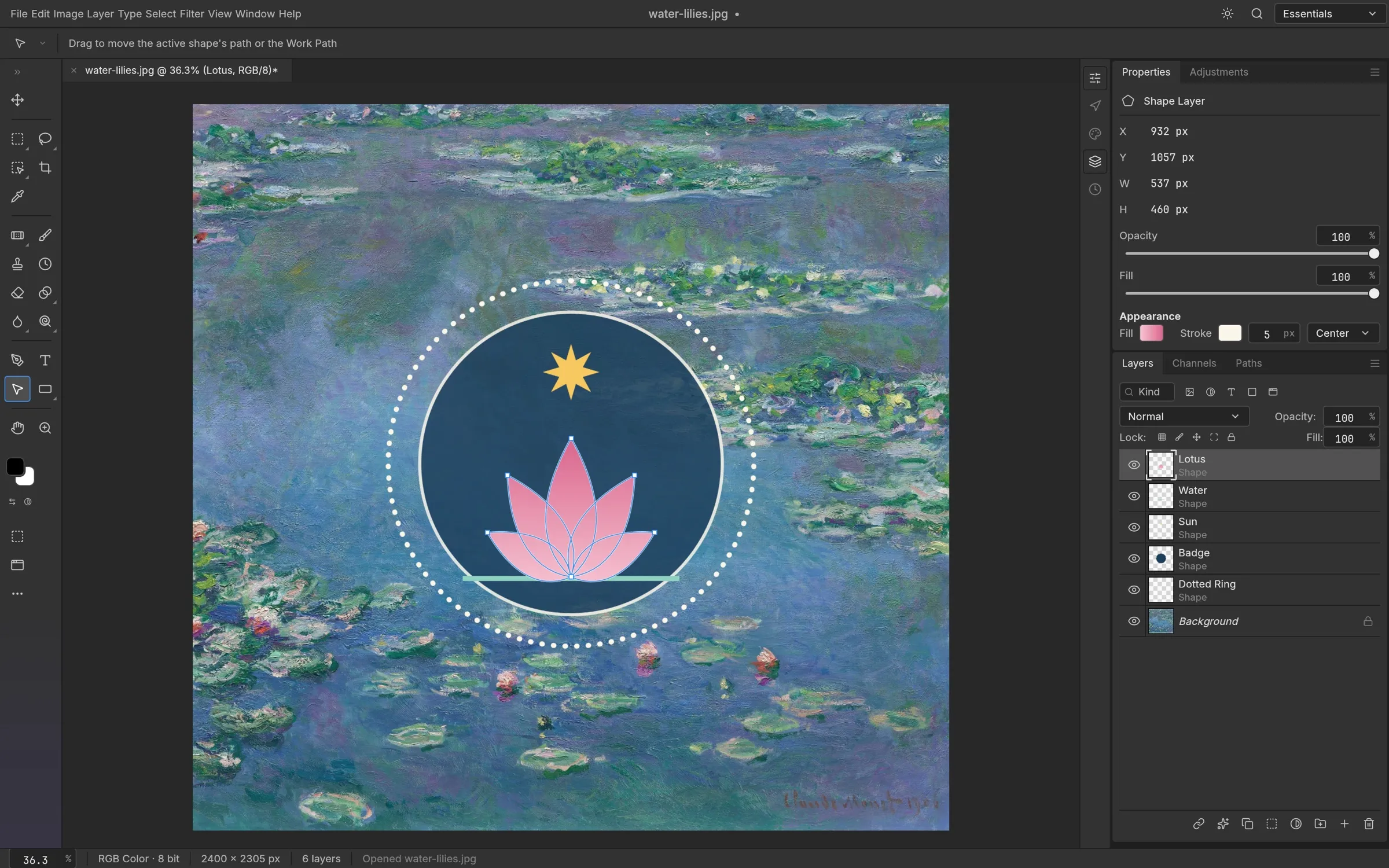
Shape layers and the Pen tool
Rectangle, Ellipse, Triangle, Polygon, Line and Pen, with gradient fills, dashed strokes, combine operations and paths you can use as vector masks.
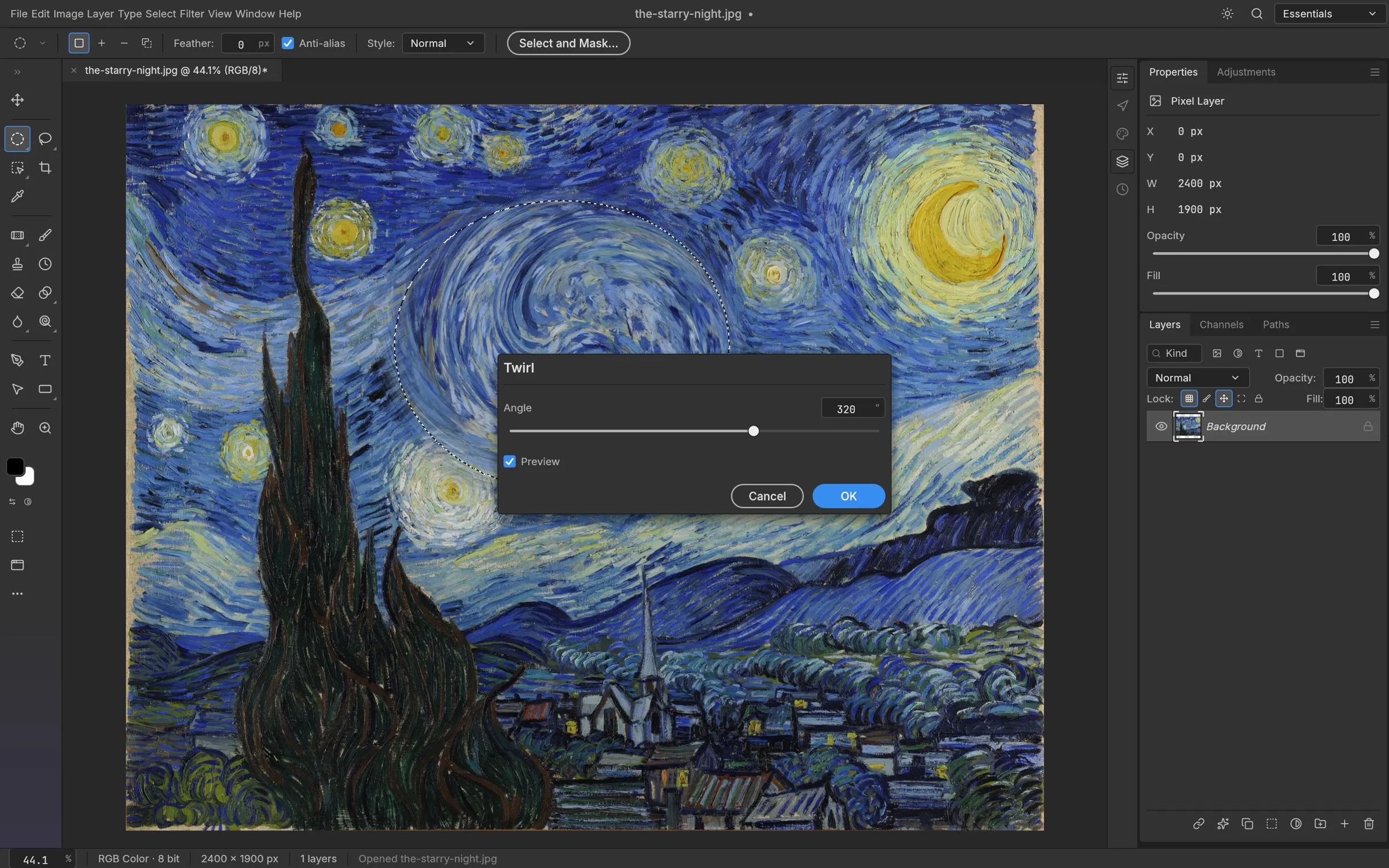
Filters that preview live
Filter dialogs preview on the canvas through your selection. Run a filter on a smart object and it stays editable.
Frequently asked questions
What is PhotoCraft?
PhotoCraft is a free, open-source image editor written in Rust by the ArtCraft team. Its README describes it as a clean-room reimplementation of Adobe Photoshop, with layers, masks, adjustment layers, layer styles, type, vectors, brushes and real PSD files in a native app that works offline.
Is PhotoCraft free?
Yes. The app is open source under the MIT or Apache-2.0 license. ArtCraft separately sells subscriptions that include AI credits, but a reviewer noted that those generative features were not part of PhotoCraft at the time.
Can PhotoCraft replace Photoshop?
Not yet. The README says it is not yet a replacement for daily professional work, and the project’s own roadmap, in an assessment dated 2026-10-05, puts real parity well below 50%. It is a good way to try the app and to do lighter editing.
Which systems does PhotoCraft run on?
Windows (x64, arm64, x86), macOS (universal), Linux (x86_64 and aarch64), FreeBSD 14, and a WebAssembly build that you host yourself. See the download page for file names.
Can PhotoCraft open PSD files?
Yes. It opens, edits and saves layered PSD and PSB files. The project reports that re-saving preserves the render for 307 of the 309 files in the psd-tools test set, but a re-saved file is not byte-identical to the original, so keep backups.
Does PhotoCraft have AI features?
No generative AI. The roadmap grades AI and generative features at about 0% and defers them. Selection tools such as Select Subject run locally on your machine.
Is this the official PhotoCraft website?
No. This wiki is an independent community resource with no affiliation to the ArtCraft team or Adobe. The official links are collected on the GitHub and community page.
How do I report a bug?
Open an issue on the project’s GitHub repository and include your operating system, document size, layer count and a screenshot, as the README asks. You can also tell the team on Discord.
Official links
Downloads and bug reports belong on the official channels. This wiki hosts no installers.
- GitHub repositorySource code, issues and releases (storytold/photocraft).
- GitHub ReleasesEvery build, plus SHA256SUMS.txt for each version.
- PhotoCraft on getartcraft.comThe project README calls this the easiest way to install.
- Issue trackerReport bugs and check known problems.
- DiscordThe ArtCraft community, where the README asks you to report what broke.
Sources
Every fact on this page comes from one of these pages, each opened and read on the date shown. Where a number is the project’s own measurement, the text says so.
- PhotoCraft README — ArtCraft Team / PhotoCraft contributors (GitHub). Read 2026-10-10.
- PhotoCraft roadmap and honest parity assessment — ArtCraft Team / PhotoCraft contributors (GitHub). Read 2026-10-10; page updated 2026-10-08. The assessment section is dated 2026-10-05; the page header says updated 2026-10-08.
- PhotoCraft releases — PhotoCraft (GitHub). Read 2026-10-10.
- docs/images/SOURCES.md (screenshot and artwork credits) — PhotoCraft contributors (GitHub). Read 2026-10-10.
- ATTRIBUTION.md (licenses of every non-code asset, including the screenshots) — PhotoCraft contributors (GitHub). Read 2026-10-10.
- PhotoCraft is an open-source, AI-built clone of Photoshop — OMG! Ubuntu (Joey Sneddon). Read 2026-10-10. Hands-on review of an early build (v0.3.0). Observations are the reviewer’s own.